Twilio Admiral · 2019–2020
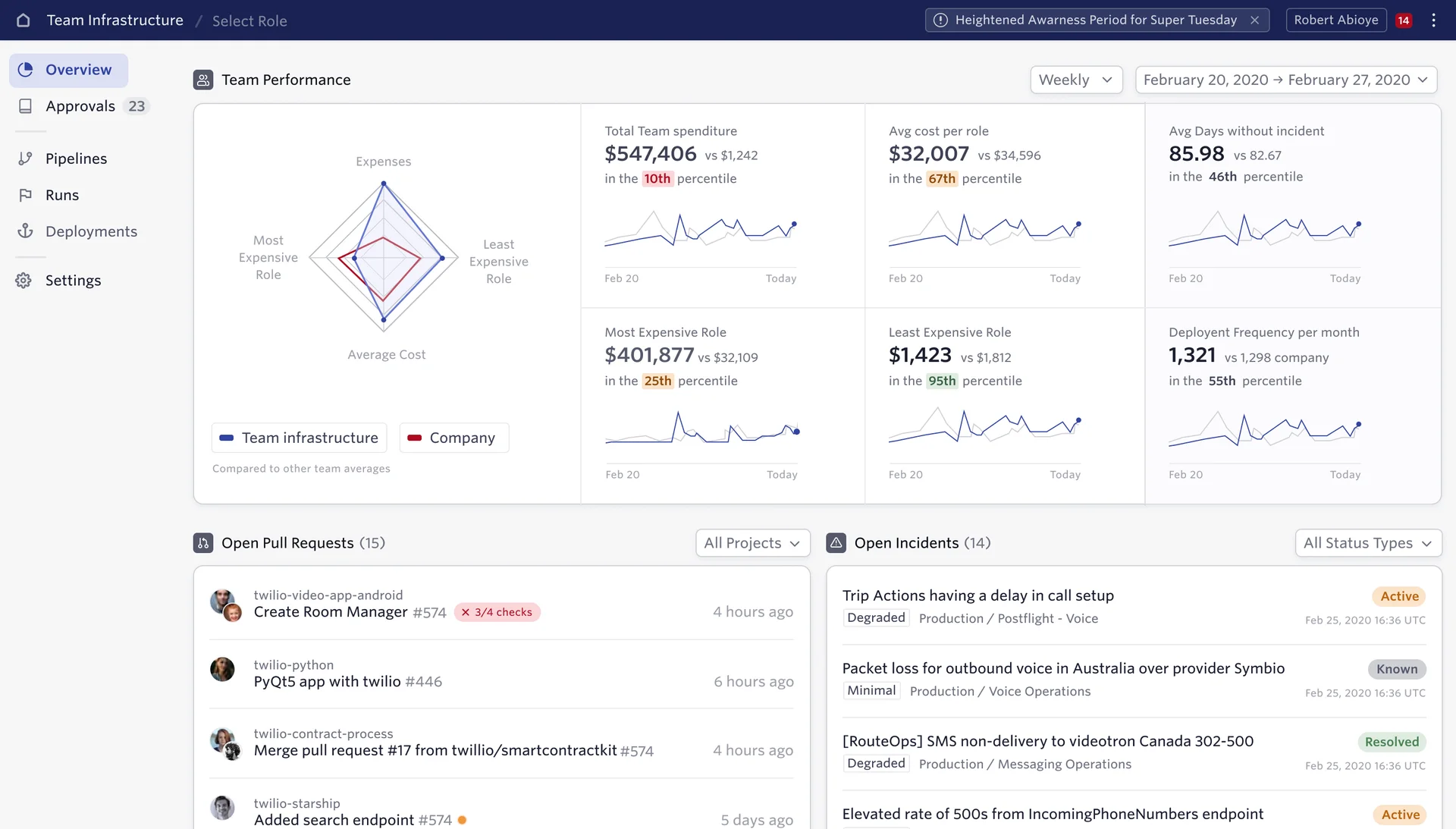
I redesigned the navigation of Admiral, the internal platform Twilio’s engineers use to deploy and run their services. Interviews showed each team only cares about a small slice of 2,351 roles, so I rebuilt the structure around your own team: contextual dashboards, a Team › Roles switcher, and shorter paths to everyday tasks.
- Role
- As a contract product designer I led the navigation research, the information architecture, and the team dashboards.
- Outcome
- Engineers land on their own team’s deployments and pipelines by default, and editing an access policy takes three steps instead of six.
- Product
- Twilio Admiral, internal developer platform
- Industry
- Developer Tools
- Year
- 2019–2020
Showing each team only what’s theirs
- Admiral is the internal platform Twilio’s engineers use to deploy and run their services.
- I joined to iterate on its pipelines feature. The research turned it into a redesign of how the whole platform is organized.
Seven people, seven maps of Admiral
- We interviewed seven Admiral users and had each one rank their top five workflows. Two groups emerged: daily work and administration.
- Then we asked them to rename and regroup its sections. Everyone came back with a different picture of how Admiral was structured.
A sliver of a huge list
- Admiral held 2,351 roles across 246 teams, about ten per team. Each team only owned 0.4–4% of them.
- So the structure became contextual instead of flat, the way Slack only shows the channels you’ve joined.
Start from your team
- A Team › Roles switcher replaced the long list from top to bottom. By default you see your own team’s deployments, pipelines, and dashboards.
- Editing a team’s access policy went from six steps to three.
One level down
- The same structure carried the detailed tools: a deployment’s events and configuration sit under the team that owns it.
A system to build it on
- Worked with the team to bring a design system into Admiral, and drew an icon set for the platform’s own concepts.