2025
Matcha Iframe Widget
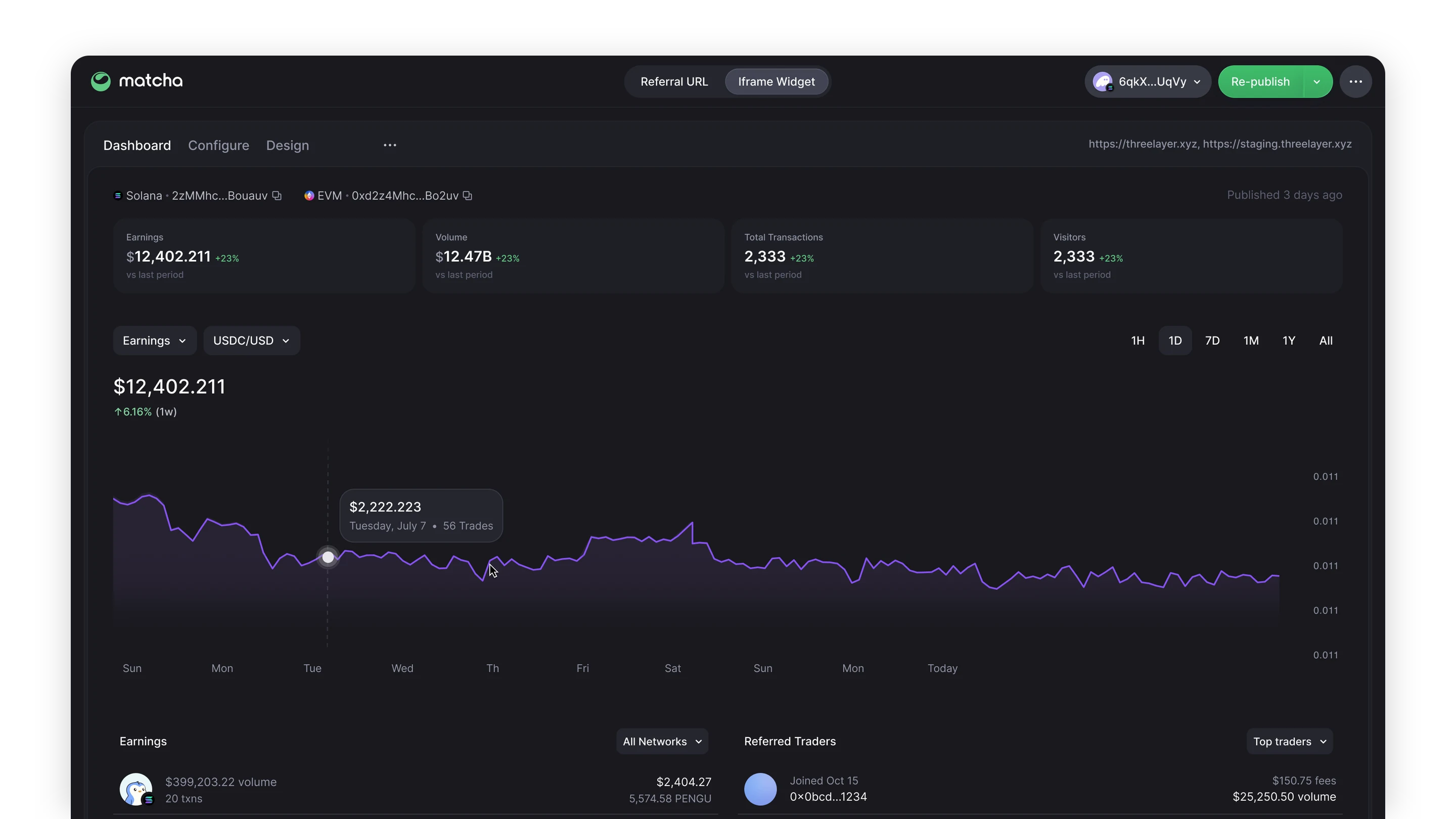
I designed a self-serve builder for Matcha’s Iframe Widget and Referral URL. People pick the tokens, set a fee, match their brand, and get embed code beside a live preview. Publishing asks for fee wallets and an approved domain, and a dashboard then tracks earnings, volume, and traders.
- Role
- I designed the builder, theming, publishing flow, error states, and dashboard, on desktop and phone.
- Outcome
- One tool takes a partner from choosing a token to an embedded swap or referral link, and on to tracking what it earns.
- Product
- Matcha - DEX Aggregator by 0x
- Industry
- DeFi / Web3 / Fintech
- Year
- 2025
- Link
- matcha.xyz
A swap any site can embed
- Plenty of apps need people to hold a token before they can use a service. Building on the 0x API means keys, a custom UI, and upkeep. An iframe avoids all that and picks up every Matcha improvement on its own, but someone still had to configure it.
- I designed a builder for it: pick the tokens, set a fee, match the brand, publish, and track what it earns.
The real widget beside the form
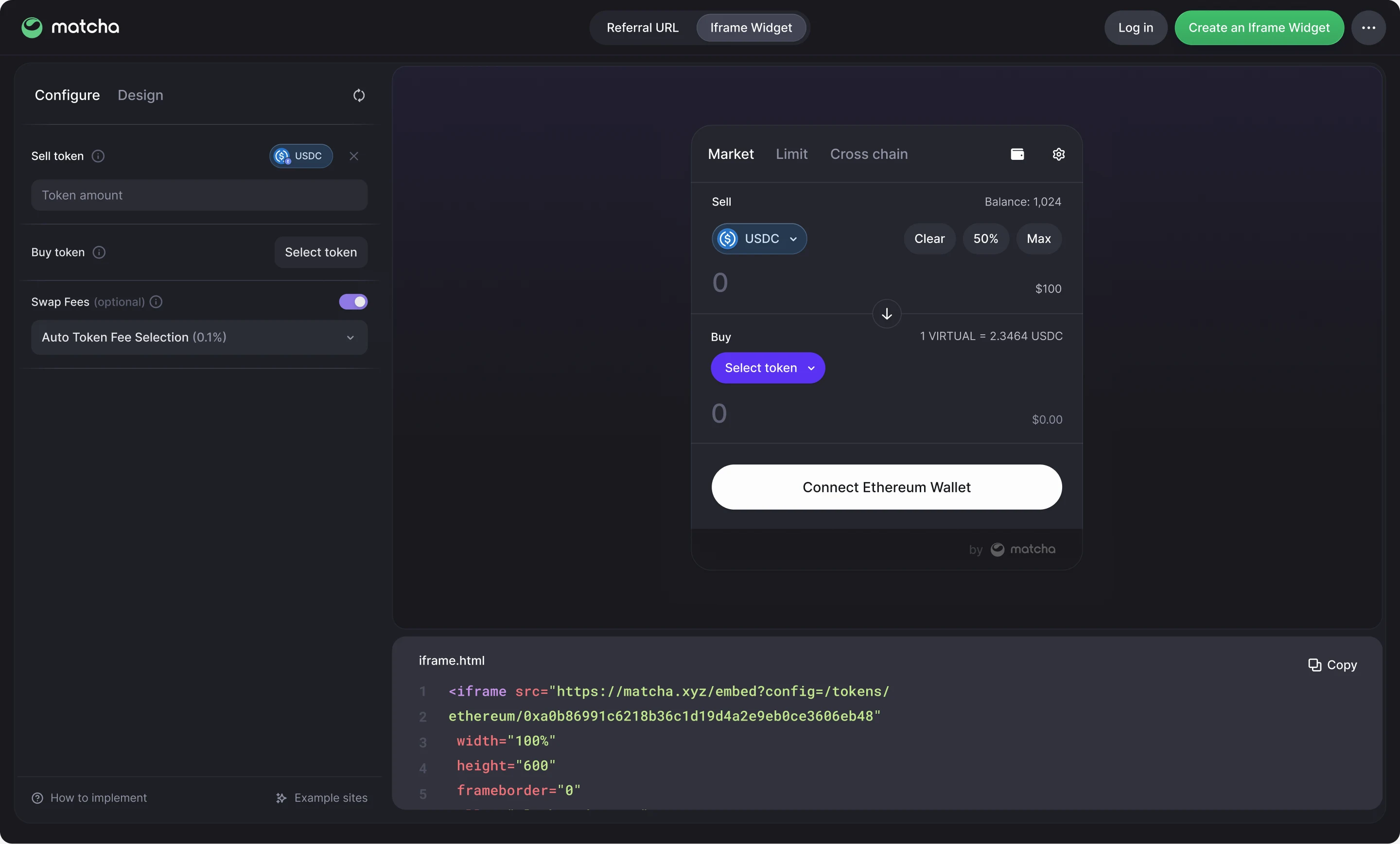
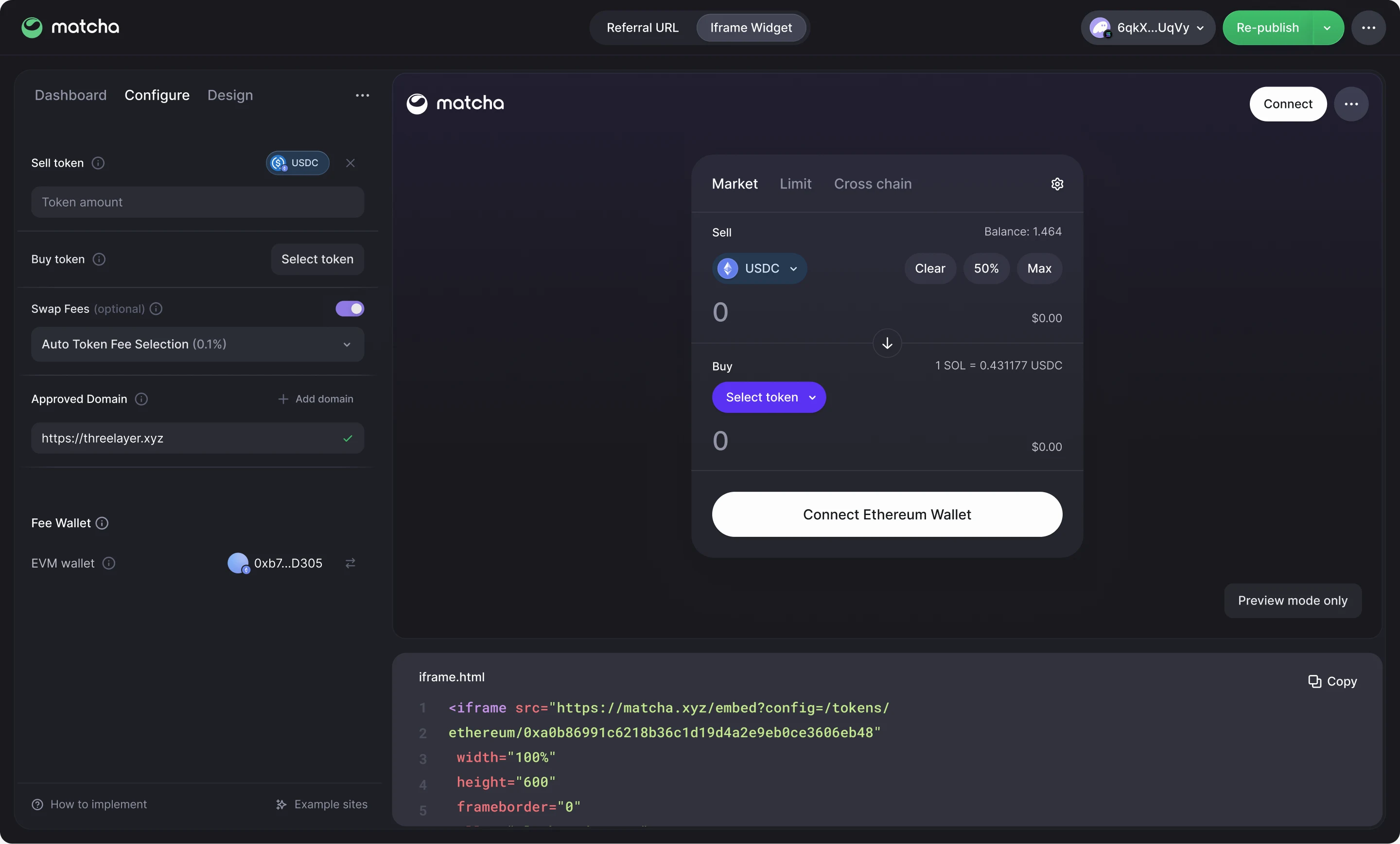
- Controls sit on the left, a live preview on the right, and the embed code underneath.
- USDC is already the sell token and swap fees are on, so the first preview works before anything is filled in.
- Changing a token in the form or in the widget updates both, and the snippet follows, ready to copy.
Findable from the homepage
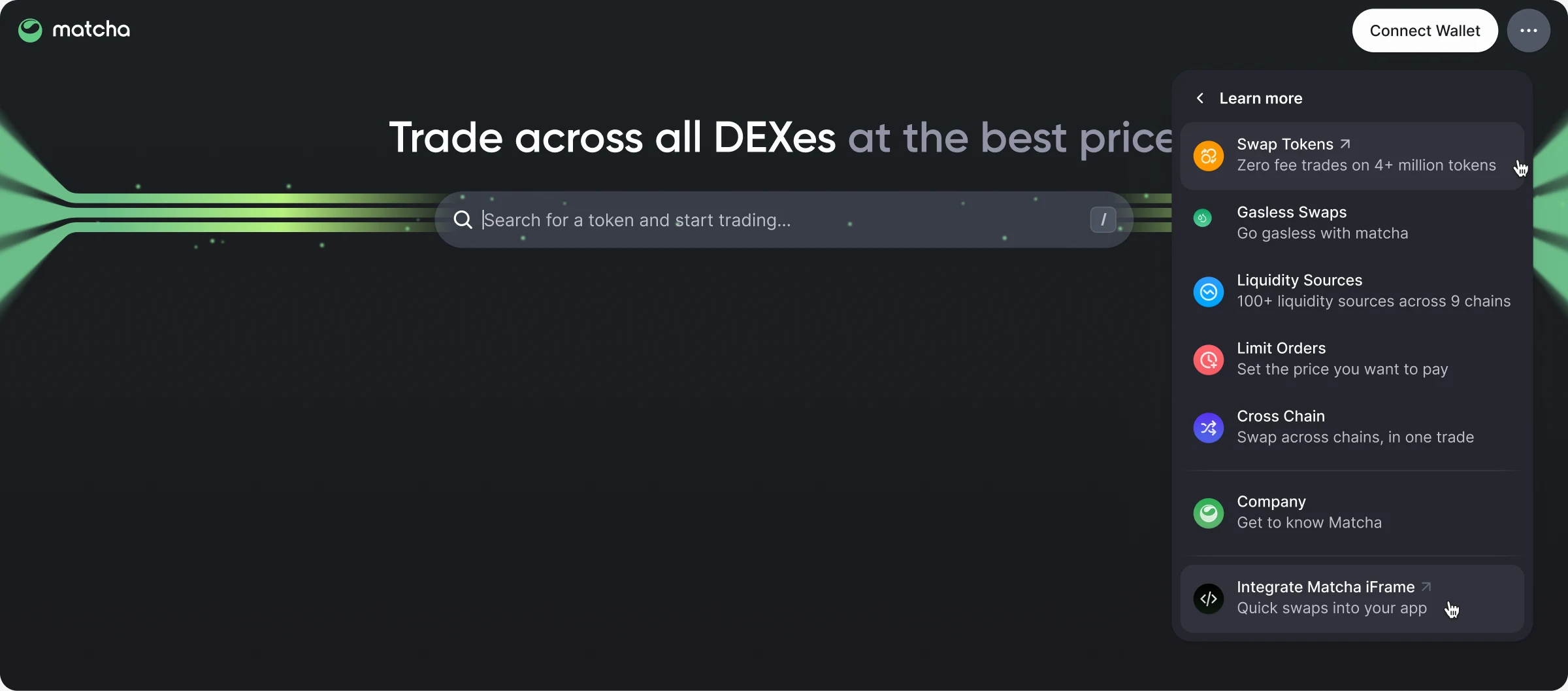
- “Integrate Matcha iFrame” sits in the homepage’s Learn more menu and in the footer, so people can reach it without starting in the developer docs.
The whole flow, wired up
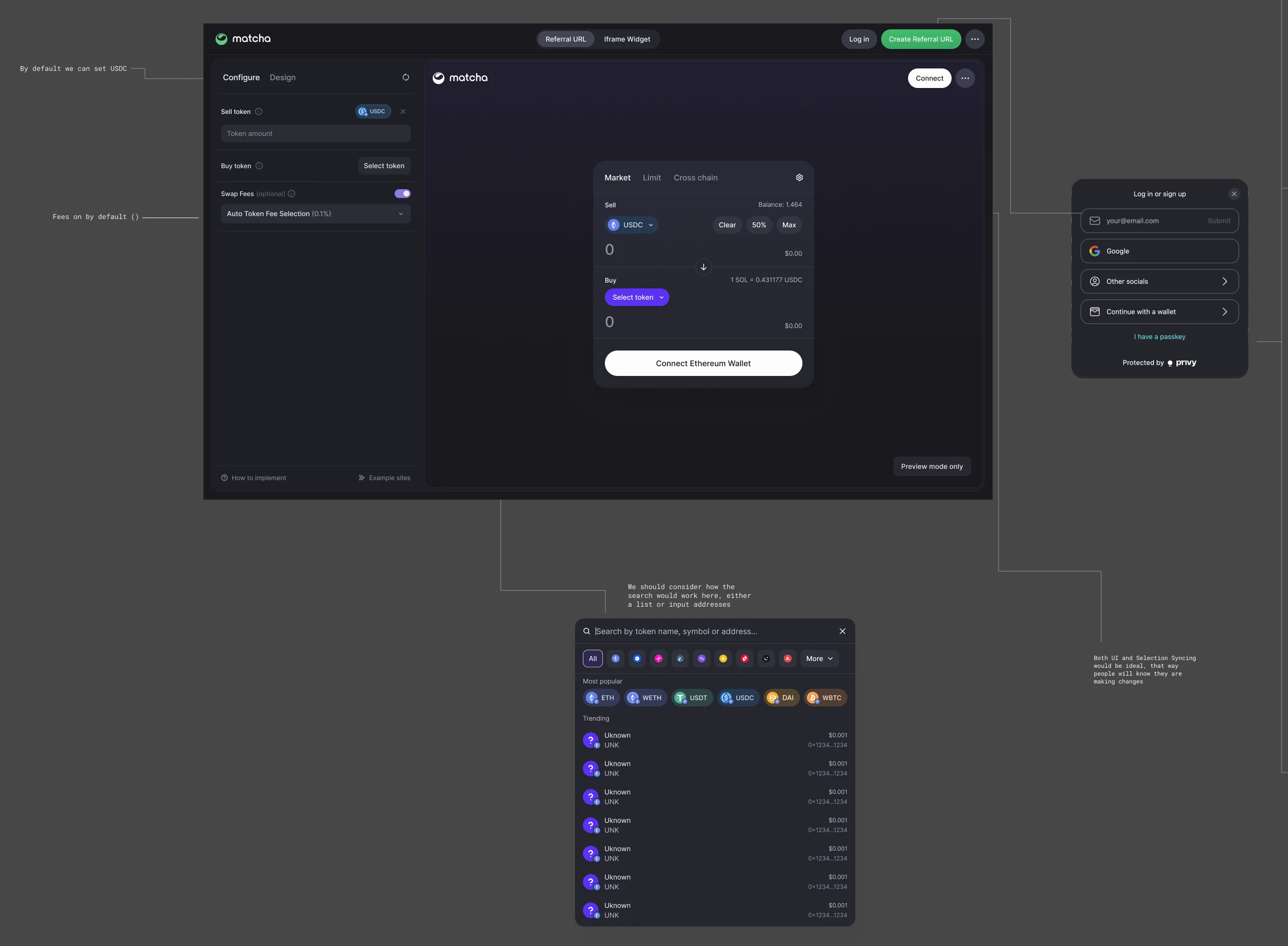
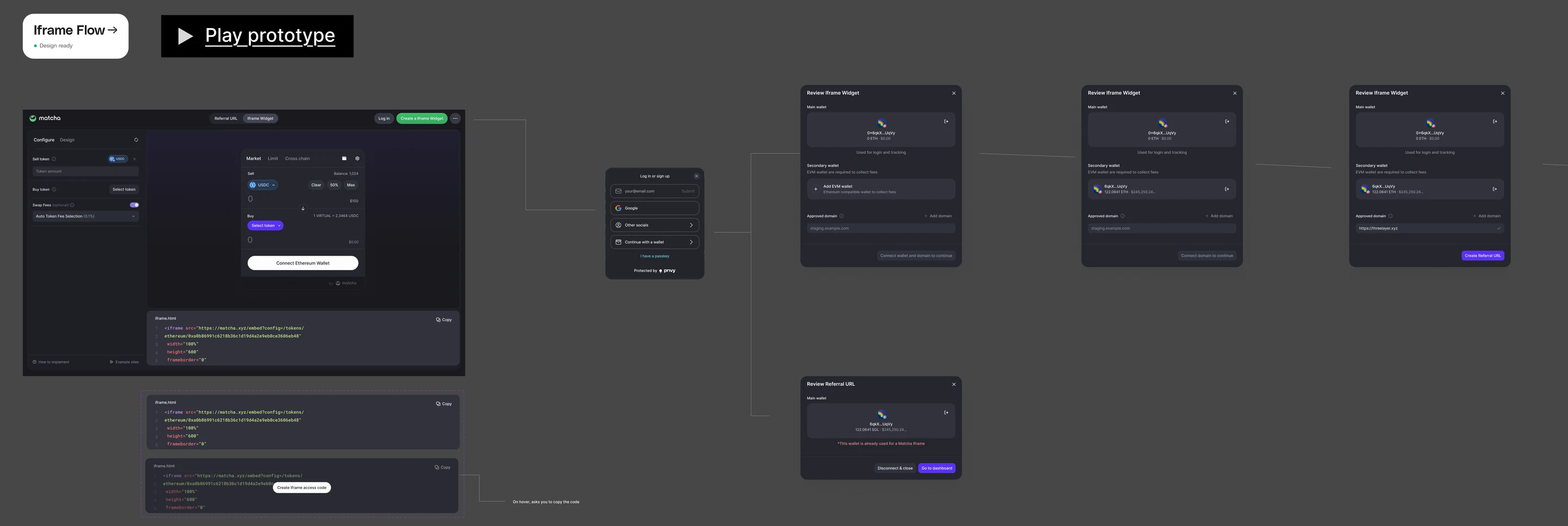
- I wired the flow as a Figma prototype: log in, review, publish, read the guide, and land on the dashboard.
- The board keeps every branch next to it, including the snippet’s hover state and a wallet that’s already taken.
What it takes to go live
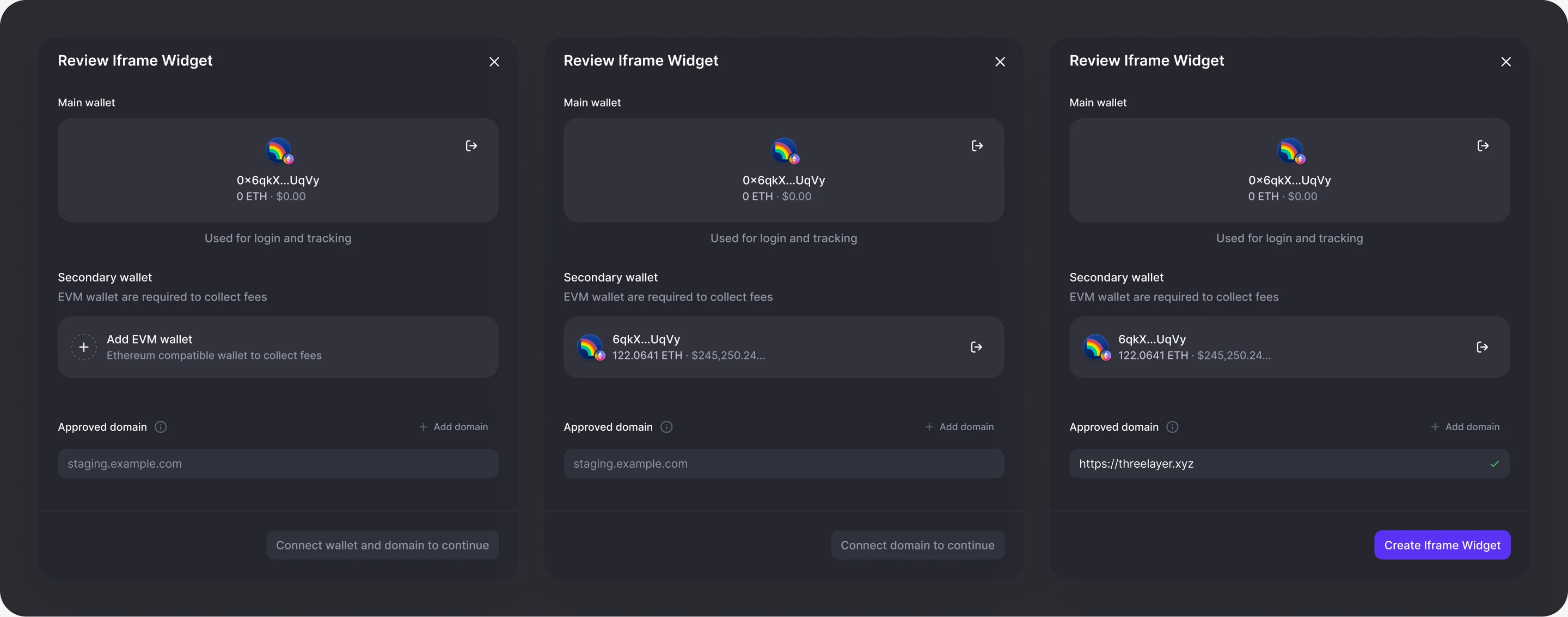
- Publishing is a short review. The main wallet handles login and tracking, a secondary wallet collects fees, and an approved domain sets where the widget can run.
- Until all three are in place, the button says what’s missing.
When something’s off
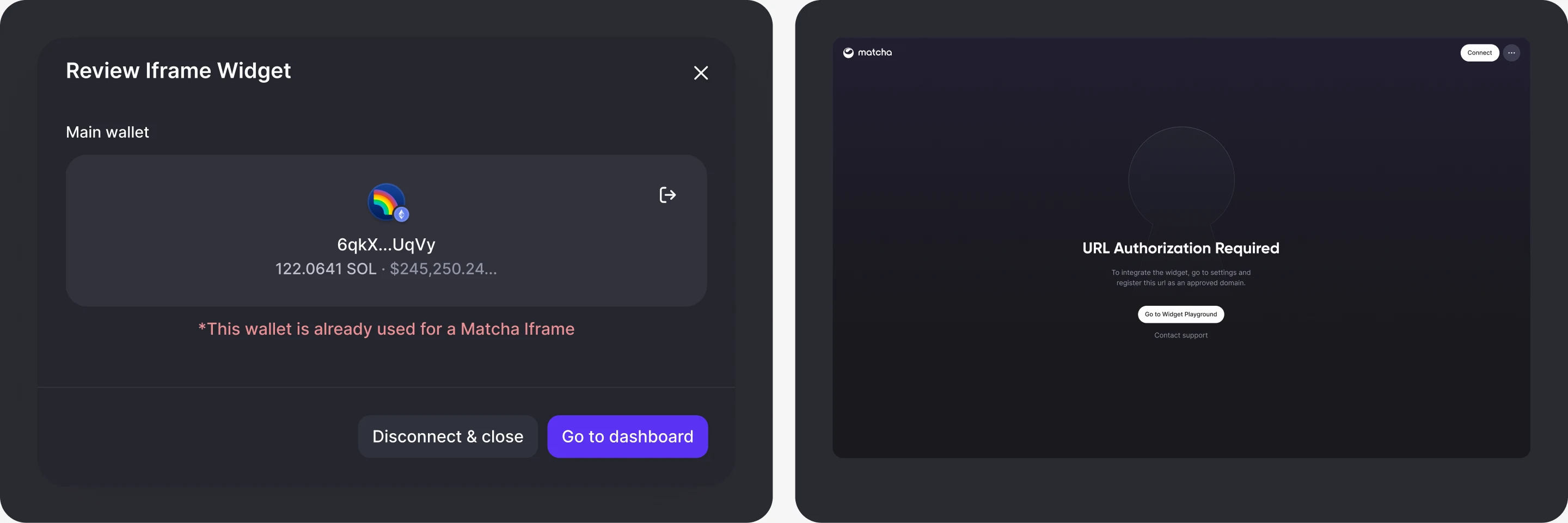
- A wallet already tied to a widget can’t be reused, so the sheet offers a way out: disconnect, or go to its dashboard.
- On an unapproved domain, the widget explains why it won’t load and links to the fix.
One wallet at a time
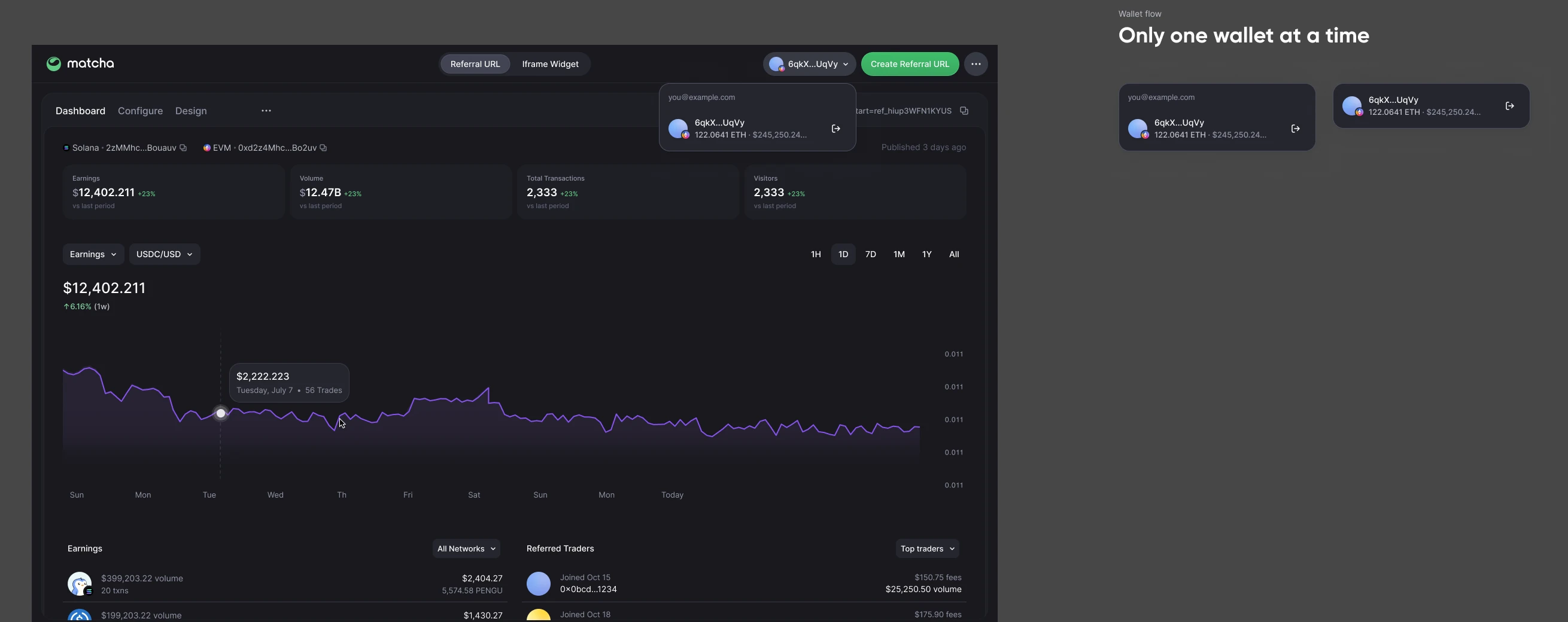
- The header holds a single wallet at a time.
- Log in with email and the menu shows the address above the smart wallet it generated. Connect a wallet directly and it shows just that.
After publishing
- The approved domain and fee wallet join the form, and Create becomes Re-publish, so changes stay in one place.
Help inside the builder
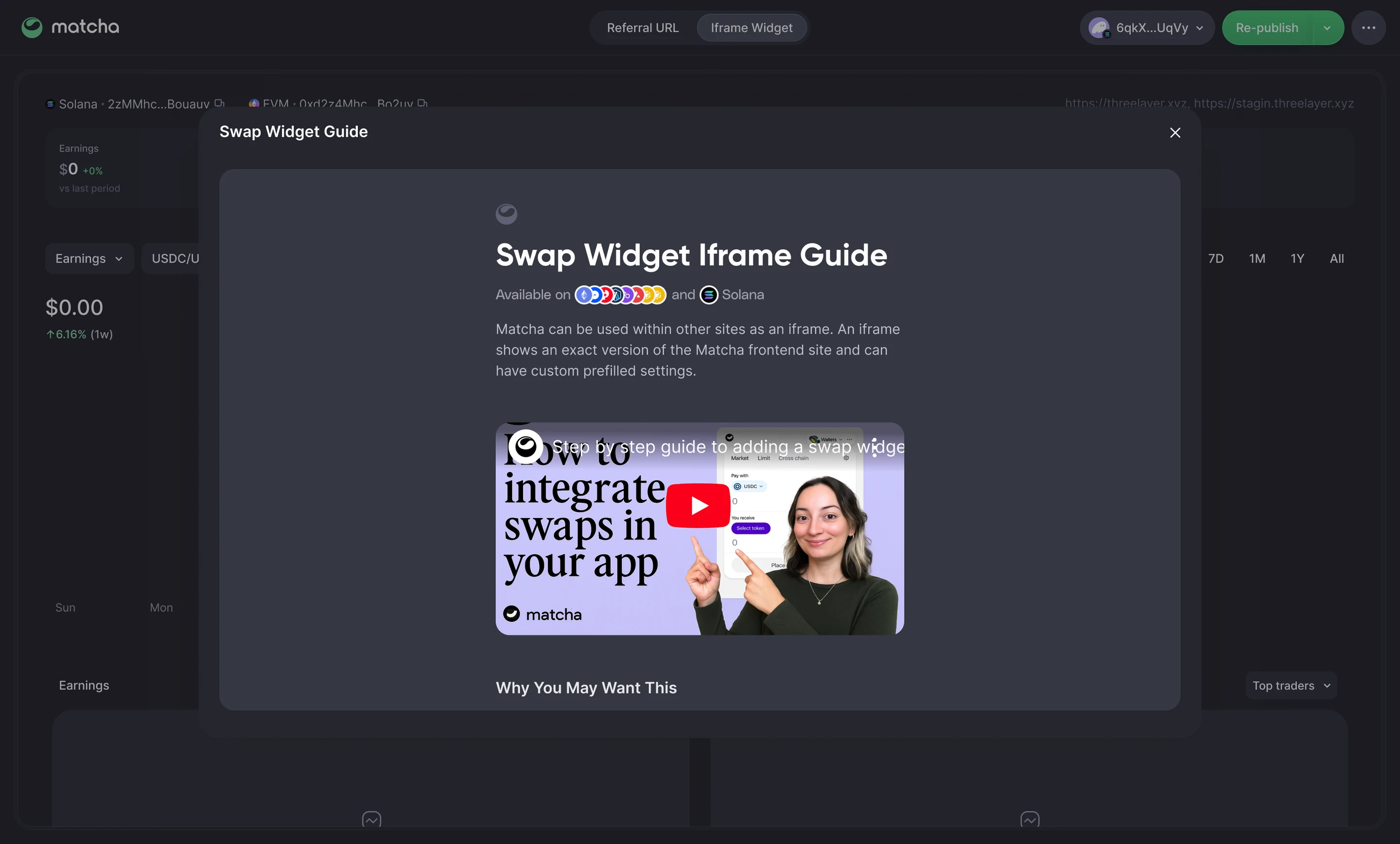
- How to implement and Example sites sit at the bottom of the side panel and open over the builder.
- Publishing opens the guide too, so the next step is already on screen.
Two ways to partner
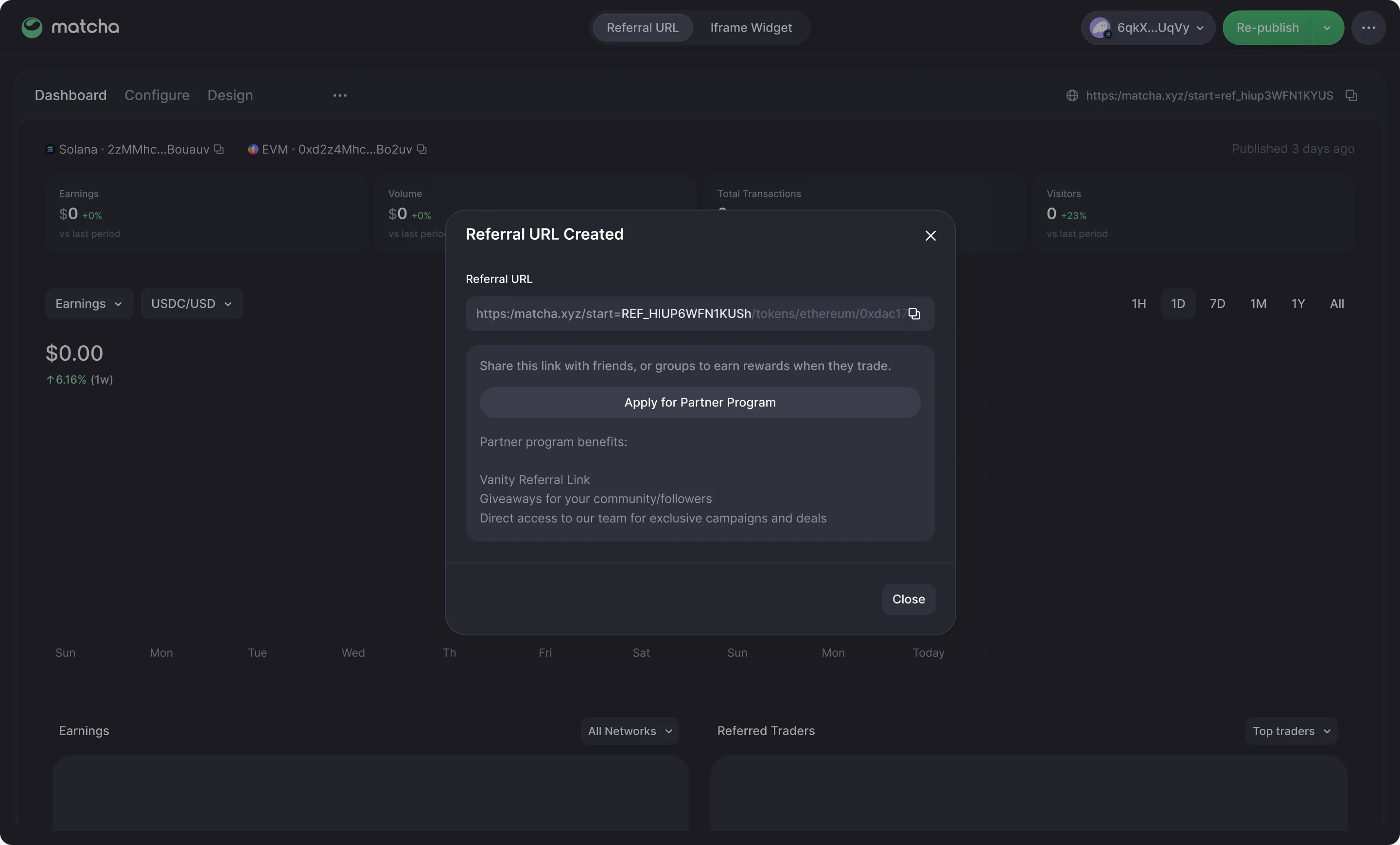
- Not everyone wants to embed a widget. Referral URL sits next to Iframe Widget in the header and publishes a link that earns rewards when people trade.
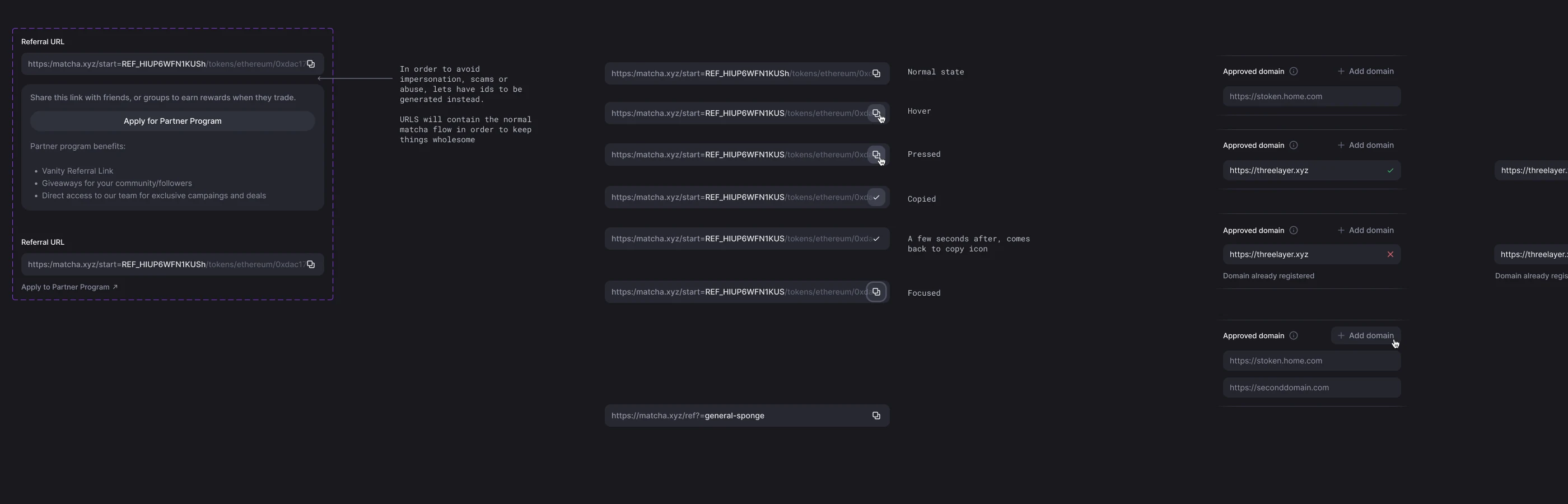
- Referral IDs are generated rather than chosen, to head off impersonation, scams, and abuse. Vanity links come with the Partner Program.
Made to look like the host site
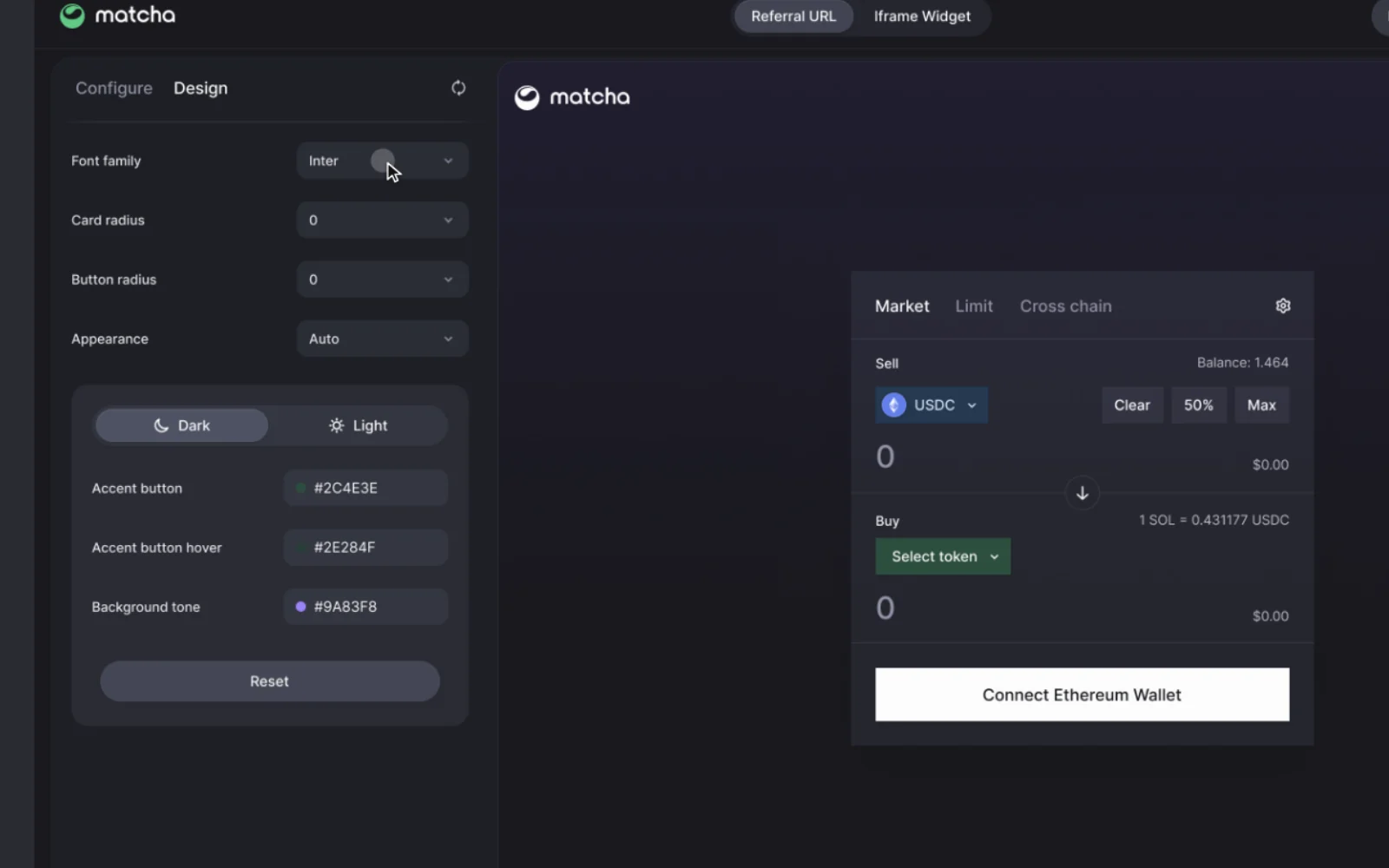
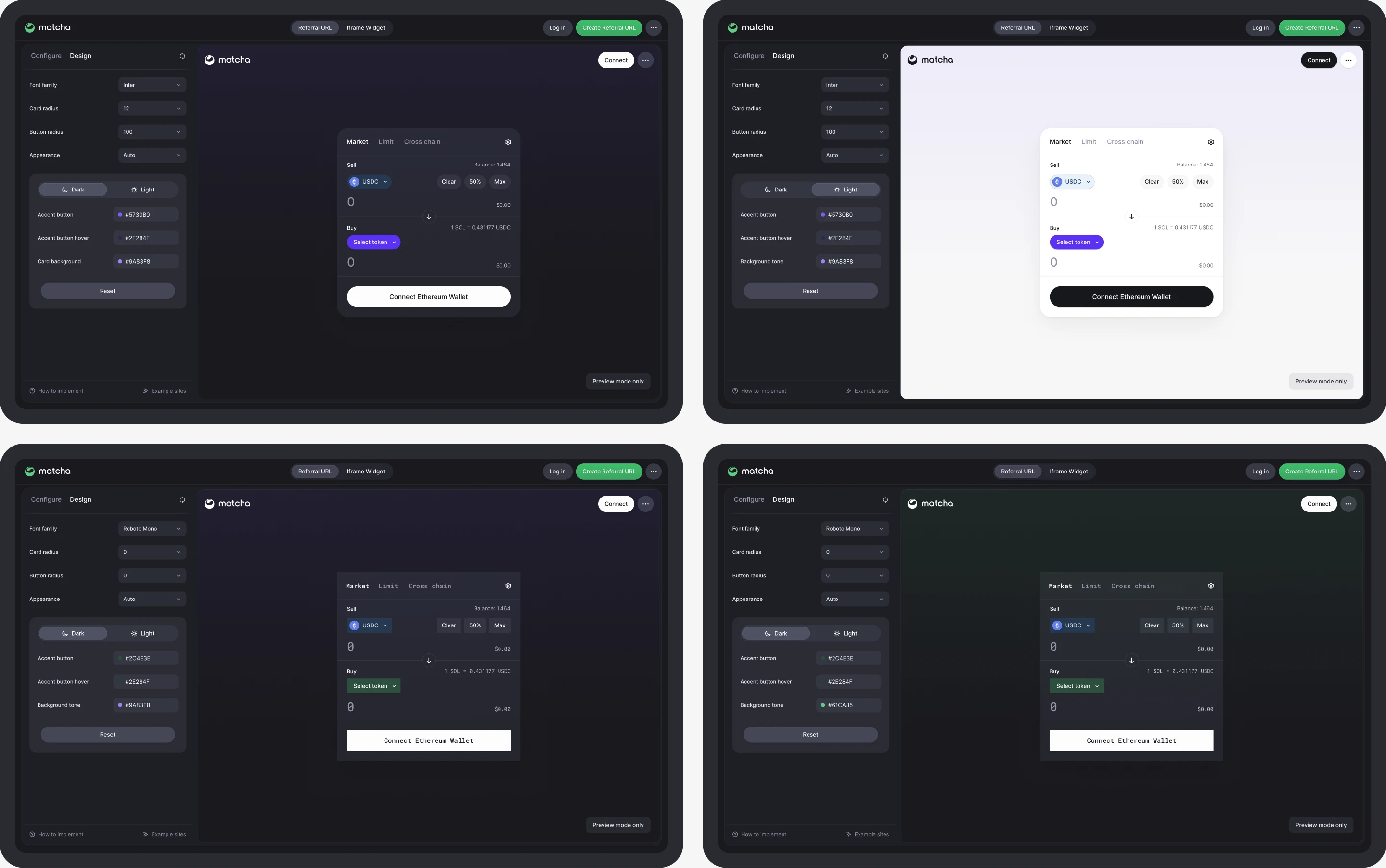
- The Design tab covers what makes a widget feel native: font, card and button radius, light or dark, accent color, card background, and background tone.
- Each control changes the widget beside it, and Reset returns to the defaults.
What the embed earns
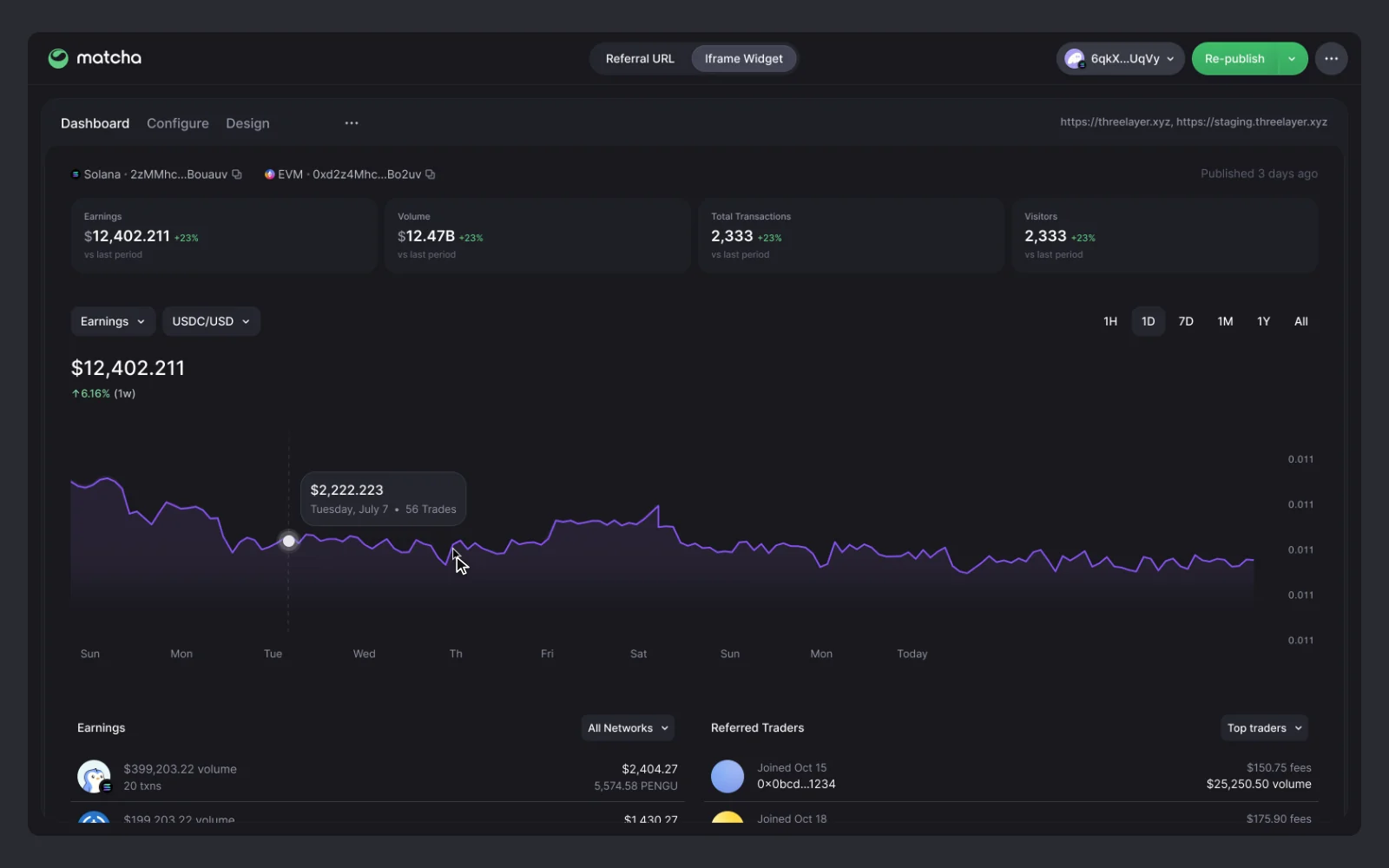
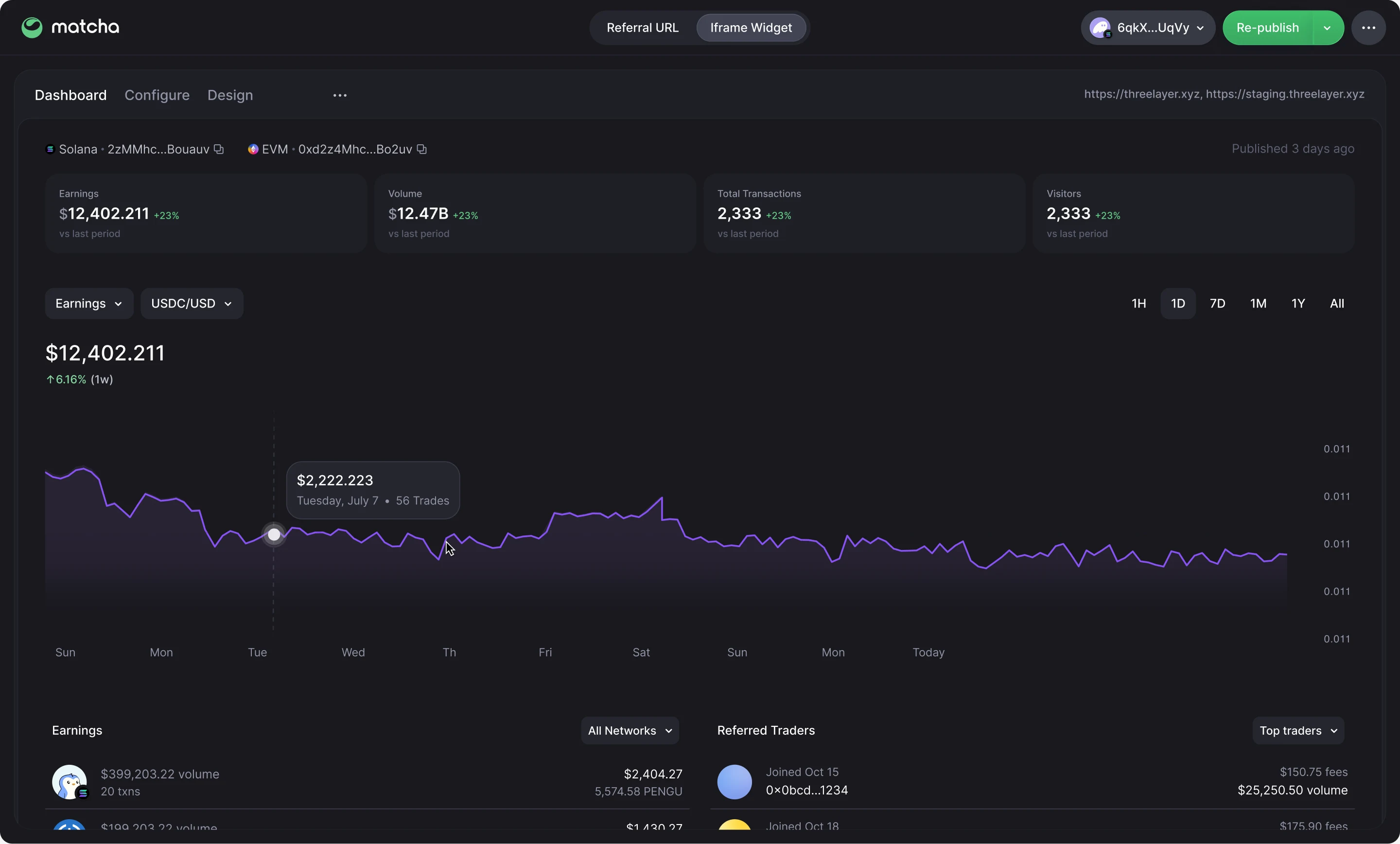
- Once published, the builder gains a dashboard: earnings, volume, transactions, and visitors, a chart by period, and breakdowns by token and trader.
- Before any trades, the empty state tells partners what to do next.
On a phone
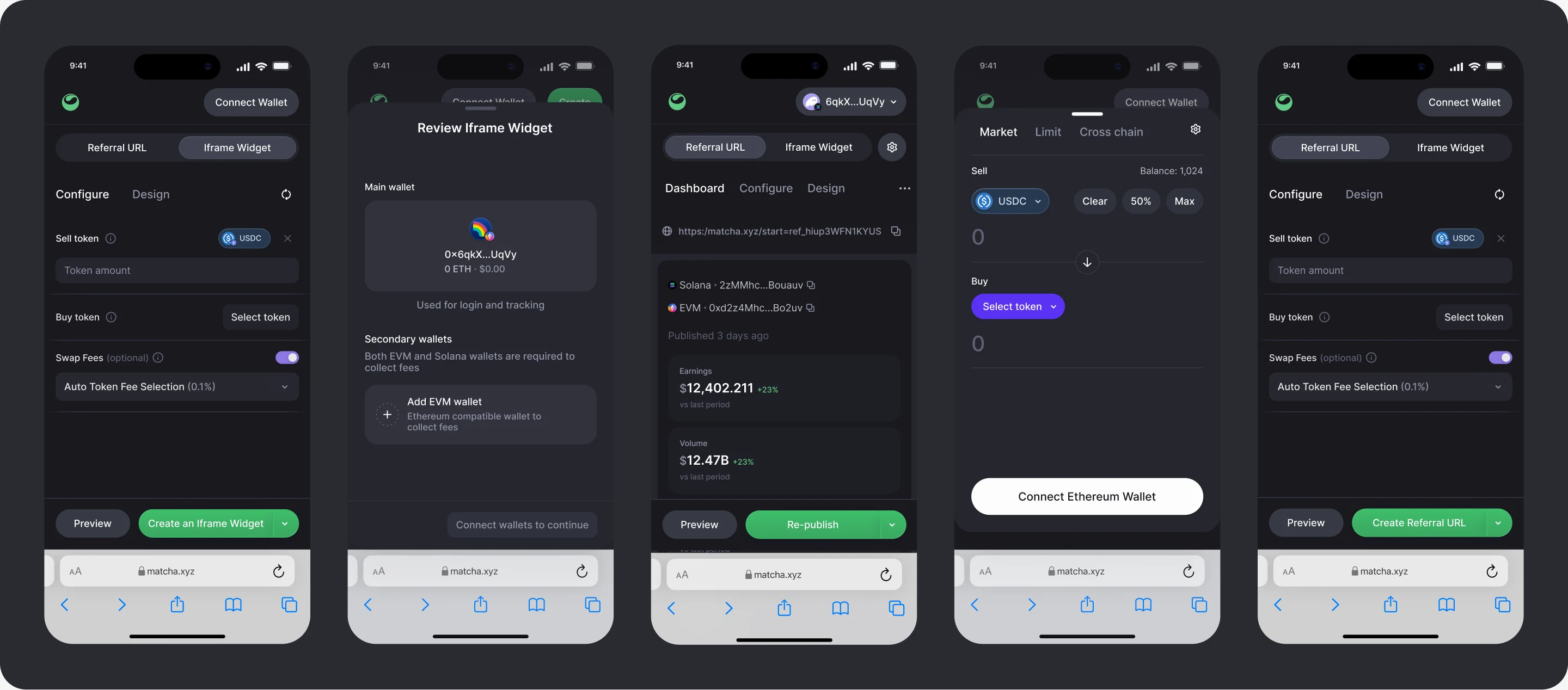
- The builder stacks into one column, with Preview and Create pinned to the bottom of the screen.
- Preview, review, and the dashboard follow in the same order as on desktop.
Every state written down
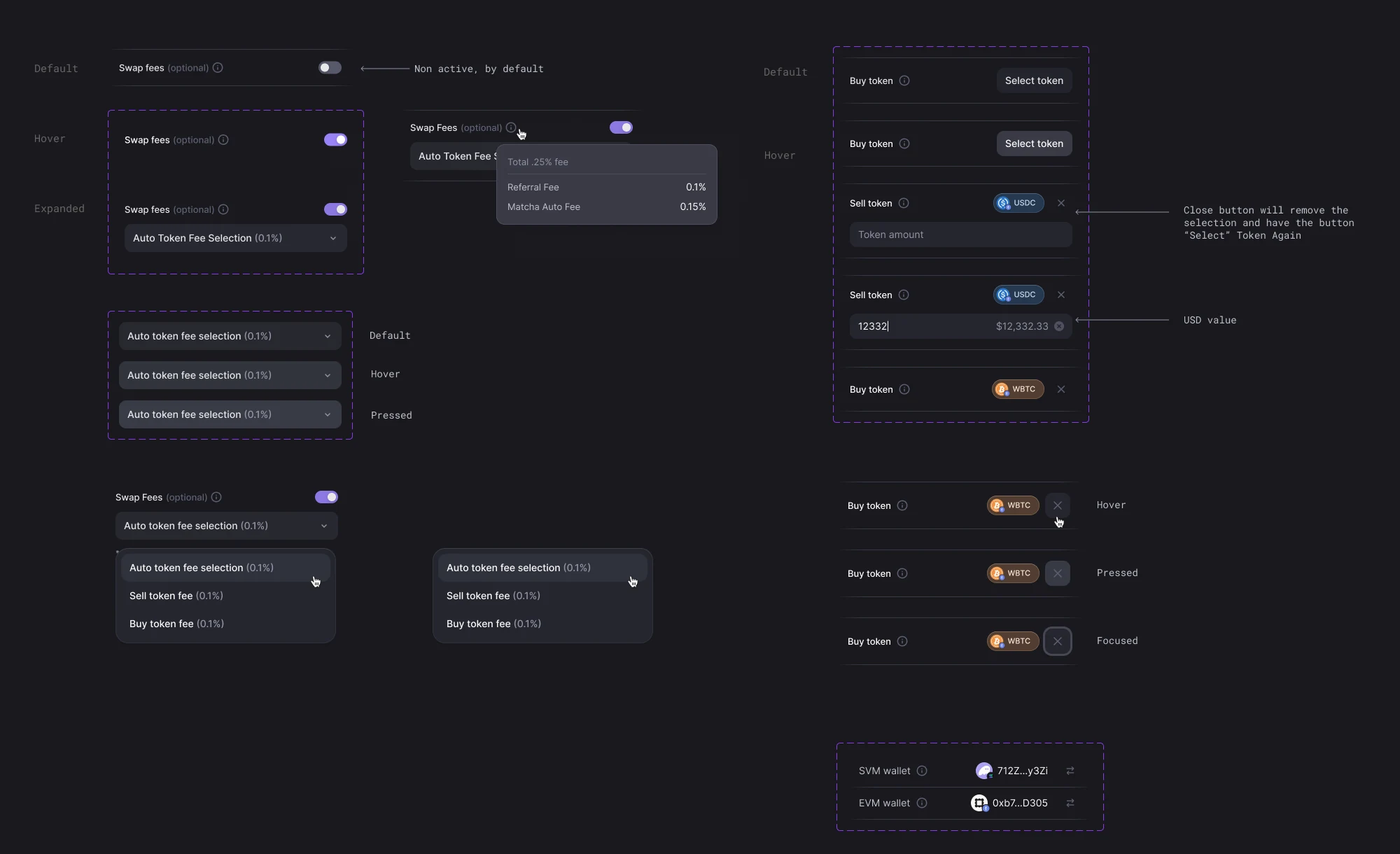
- Fees, tokens, referral links, and approved domains have their states specified, from hover and pressed to copied and already registered.
- The small behavior is spelled out too: removing a token brings back Select token, and a copied link shows a check for a few seconds before the copy icon returns.
Where it stands
- The iframe and referral flows, theming, wallet states, and dashboard are designed. The mobile builder is still in progress, starting with settings.
- After launch, the measures are widgets published, volume through embeds, and earnings per partner.