2024
Dealership Hub
I designed and built Dealership Hub, the app that replaces a car dealership’s older CRM. The old tool was a single lead table; the Hub brings sales, the workshop floor, customer records, and the team into one place, opens on the few things worth doing first, and answers plain questions with rows that link straight to the job or the customer.
- Role
- I designed the app end to end and built it as a working Next.js prototype: the hub, the leads flow, the workshop board, customer profiles, team views, and the design system under them.
- Outcome
- One app in place of the old single-table CRM: staff can start from what needs doing and follow a customer from a sales lead to a car on the lift.
- Product
- Dealership CRM
- Industry
- Automotive Retail
- Year
- 2024
From a lead table to a dealership hub
- The old CRM did one thing: list customers and send them a campaign.
- Everything around that list — the workshop, the customer’s history, who on the team was falling behind — lived in other tools.
- I designed and built Dealership Hub to replace it: one app for sales, service, customers, and staff, with the lead flow still at its center.
Where it started
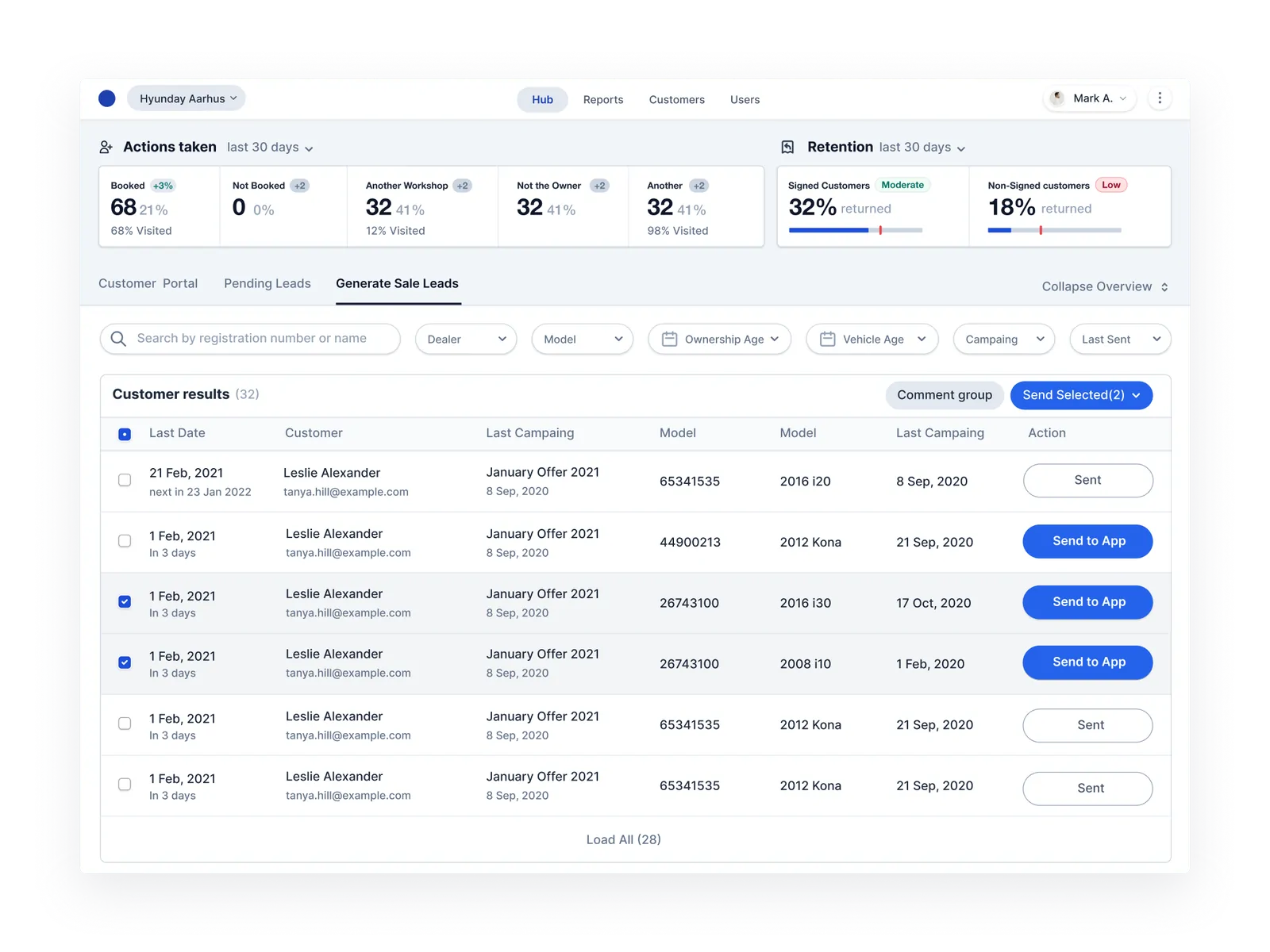
- The lead hub was a dense table under a row of numbers nobody could act on: “Not the Owner”, “Another Workshop”.
- Every row looked the same, the send button was the loudest thing on the page, and nothing said who to call first.
- Its strongest idea, filtering customers and sending a batch to the dealer app, was worth keeping. The rest needed rethinking.
Ask instead of hunting
- Every page has the same bar at the bottom for plain questions, like what’s running late.
- Answers come back as rows that open the job or the customer, not paragraphs to read, with the likely next questions underneath.


Leads, kept and sharpened
- Rewrote the metrics as things to act on — ready for follow-up, due this week — each measured against a goal.
- Folded six dropdowns into one Filters menu that composes dealer, model, campaign, ownership, and last sent.
- Rows lead with the person and their car, mask the registration, and flag anyone who has never been contacted.
- Batch sends confirm the count and can be undone; an offline send keeps the selection so it can be retried.


The workshop floor at a glance
- Service was invisible in the old CRM. Now every car on the floor sits on one board, grouped by stage.
- Each stage says how many cars are running late, and each row pairs car, customer, job, and technician with the time promised.

Start with what needs doing
- The hub opens on the three things worth doing first, each with its reason: a customer waiting in the lounge, six leads never contacted.
- Sales, workshop, issues, and team follow as one line each, and a shared to-do list stays alongside.
- Picking one drafts the question for you — who should I call first? — ready to send or edit.

One page per customer
- The directory opens on who needs attention — follow-ups, an advisor on leave, an unbooked recall — before the list itself.
- A customer’s page holds their cars, bookings, staff notes, and the conversation side by side, so nobody asks them the same thing twice.


Who needs a hand
- The team view tracks each advisor’s sales against target, open leads, and what’s overdue.
- Leave, unassigned leads, and pending invites surface as tasks with one action each: reassign, assign, resend.

One system under it
- Neutral surfaces carry the work; one brand blue moves it forward, and orange is saved for what’s urgent.
- Every screen is built from the same tokens and components, documented on a live design-system page, so the dark theme is the same components on different tokens.


Built to be used, not just shown
- It’s a working Next.js app on sample data, not a click-through: filters, sends, undo, comments, and to-dos all hold state.
- Single-letter shortcuts move between pages without stealing the browser’s own, and menus and dialogs work from the keyboard.
- More than 90 Playwright tests cover those flows, from offline retries to mobile tables that scroll inside themselves.